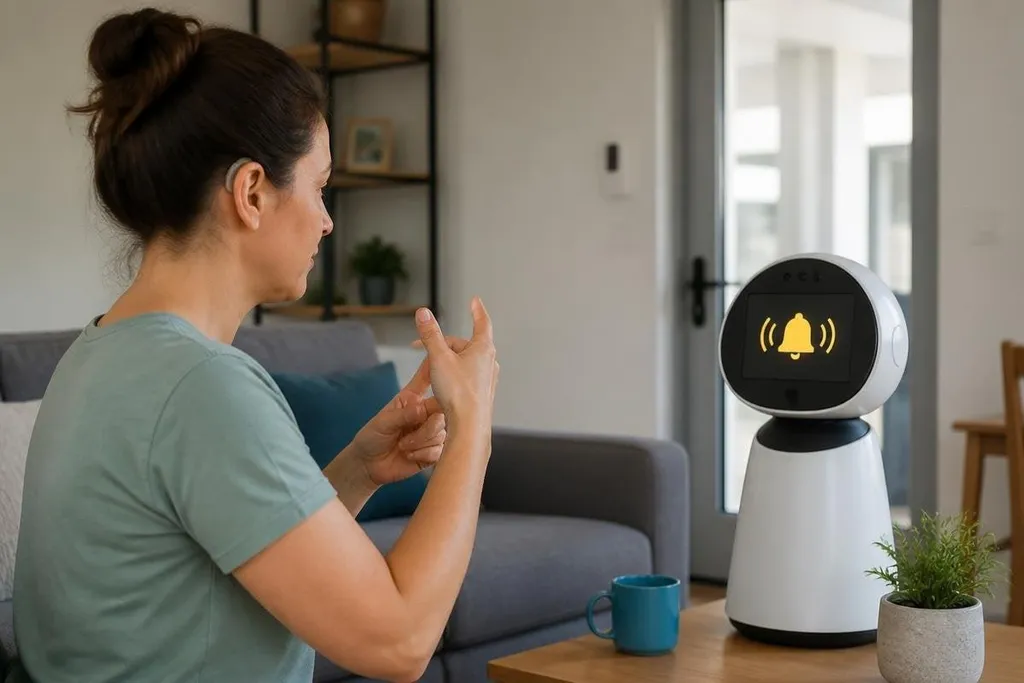
A robot could turn a sound into text, light, or vibration before a deaf or hard-of-hearing person misses it. That support could help at home, work, school, or in public places, but only if the robot explains what it detected and shows when it may be wrong.
- Sound alerts could appear as text on a robot’s screen.
- A mobile robot could carry a message or display an announcement.
- Privacy, consent, and clear failure warnings need to be part of the design.
Turning sound into a visible alert
With microphones, the robot could listen for selected sounds, such as a doorbell, alarm, knock, or spoken name. Software would classify the sound, then send an alert to a screen, phone, light, or wearable device. The person could choose which alerts matter and how they appear.
That choice matters because constant alerts would make the system hard to use. A person may want a strong visual signal for a fire alarm, a short vibration for a doorbell, and a text message for speech in another room. The robot needs a way to show the sound source, time, and confidence of its result.
Speech recognition could also turn a conversation into live text. The display might sit on the robot, connect to a phone, or appear on a larger screen. Background noise, several people speaking, accents, distance, and poor lighting can reduce the quality of the text, so the robot should let people correct names and words during the conversation.
Helping people communicate
Between two people who don't share the same communication method, a robot could place a caption screen. One person speaks, the robot shows text, and the other person types a reply that the robot reads aloud. That setup could help with short exchanges at a reception desk, a classroom, or a workplace entrance.
Sign language needs careful treatment. A camera may recognize a limited set of signs or commands in a controlled setting, but broad sign-language understanding includes grammar, facial movement, body position, and local language differences. A robot that claims to read every signed conversation would need much stronger proof than a short demonstration.
A report on assistive robots should name the sensor, task, test setting, and person who had to step in when the system failed. Robotics reporting from Robot24.com can sit beside accounts from Deaf and hard-of-hearing people, access groups, and teams using the machines, giving you a fuller record before the next section looks at work and public spaces.
Support at work and in public places
A mobile robot could show meeting changes, queue numbers, room locations, or emergency instructions on a screen.
It could also carry a tablet for a remote interpreter or support person, though the value would depend on network access, screen position, and the time needed to reach the person.
In a workplace, the robot could send visual alerts tied to a machine, door, or production area. The alert must match the risk. A missed message about a schedule change is inconvenient; a missed warning near moving equipment needs a separate safety system rather than one robot acting alone.
Some people may prefer a fixed display, captioning service, or wearable alert. A robot adds movement and can bring information closer, but motors, batteries, charging points, and blocked paths add new failure points. I’d choose the least complex tool that solves the actual communication problem.
Limits that decide if the idea works
Privacy comes first when microphones and cameras operate around people. The system should show when sensors are active, limit what it stores, and give people a way to pause recording. Those settings need to be clear without forcing someone to study a technical manual.
Accuracy also needs a visible limit. A robot should say when it did not understand speech or cannot identify a sound, rather than display a confident but wrong message. People need control over alerts, captions, stored data, and who can view the information.
The design should include Deaf and hard-of-hearing people from the first tests. Their feedback can show problems that a lab demo may miss: text placed too low, alerts that disappear too fast, a camera blocked by a bag, or a robot that approaches from the wrong side.
A practical checklist
Before choosing or testing a robot, check these points:
- Name the task: Write down the sound, message, or conversation the robot must support.
- Test the setting: Try it with the room’s real noise, lighting, distance, doors, and people.
- Set alert rules: Pick the signal type, volume, color, vibration, and repeat time for each alert.
- Check failure notices: Confirm that the robot shows missed speech, uncertain sound matches, and lost network access.
- Protect personal data: Ask what the robot records, where it stores data, and how a person can delete it.
- Include the people affected: Let deaf and hard-of-hearing users test the system before purchase.
The best first step is a narrow trial with one task and a clear success measure, such as showing every door alert during a work shift. If the robot cannot make that result visible and dependable, adding more features will only make the problem harder to see.